 Auditius Free audio editor and multitrack studio in your browser
Remove background noise from audio online
To remove background noise, open your recording, select a second or two where only the noise can be heard, capture it as a noise profile and apply Noise Reduction to the whole file. Auditius does it in your browser for free, and your audio is never uploaded.
- Free
- No install, no account
- Files never leave your computer
- English and Spanish
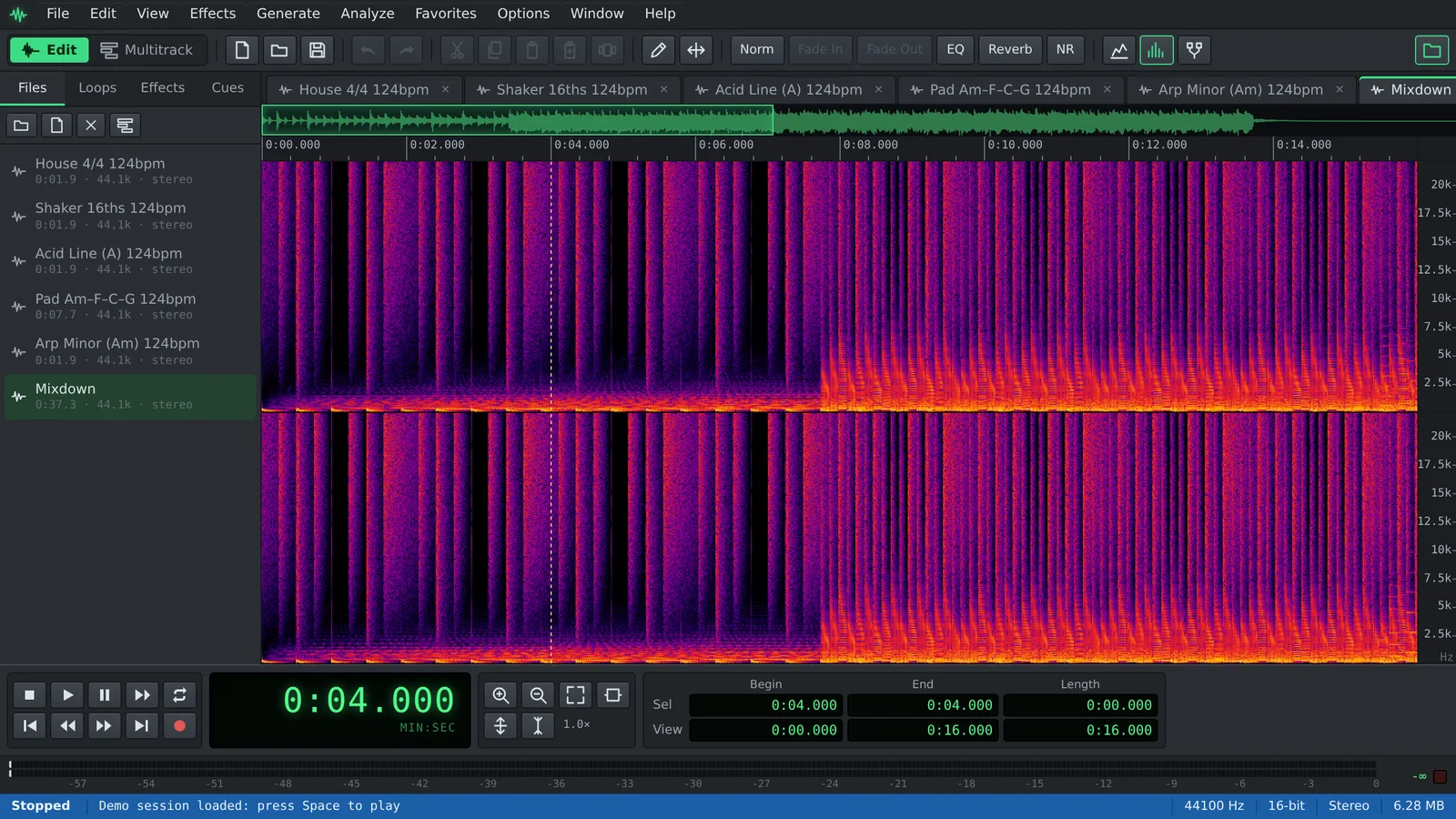
How to remove background noise, step by step
Noise reduction works best on steady noise: a fan or air conditioner, computer hum, room tone, tape hiss or the constant hiss of an inexpensive microphone.
- Click Open a recording, or use File ▸ Open… (Ctrl+O), and choose your file. You can also drop it onto the page.
- Find a stretch with only background noise, such as the pause before someone speaks, and drag across it to select it. Half a second works; one or two seconds is better.
- Choose Effects ▸ Noise Reduction ▸ Capture Noise Profile (F6).
- Select the audio you want to clean: Edit ▸ Select Entire Wave (Ctrl+A) for the whole file, or drag over one section.
- Open Effects ▸ Noise Reduction ▸ Noise Reduction… and start with the Light preset.
- Press Preview and listen. Raise Noise Reduction Level until the noise drops, and lower it again if voices start to sound watery or metallic.
- Click OK to apply it. If the result is too strong, Ctrl+Z undoes it and you can try again.
- Save the clean file with File ▸ Save As… as WAV, FLAC, MP3 or Ogg Vorbis.
Tips for a natural result
Good noise reduction is mostly about restraint.
- Capture the profile from noise only. If the selection contains speech or music, the effect will remove part of it as well.
- Use a profile from the same recording. Noise changes with the room, the microphone and the gain.
- Prefer a moderate amount. A reduction of around 12 to 24 dB usually sounds natural; settings near the maximum tend to leave swirling, underwater artifacts.
- Change one control at a time. Sensitivity decides how much of the signal counts as noise, and Spectral Decay smooths the result over time.
- Tick Loop next to Preview to hear the same passage repeatedly while you adjust.
- Clean first, then process. Compression and normalization raise the noise along with the voice, so remove noise before them.
Which tool for which noise
Switch to View ▸ Spectral to see the noise: hiss shows as a haze across the high frequencies, hum as thin horizontal lines near the bottom and clicks as short vertical streaks.
- Noise Reduction: steady noise you can isolate, such as room tone, fans or background hiss. Needs a captured noise profile.
- Hiss Reduction: high-frequency hiss from tape or a noisy preamp, without capturing a profile. Find it under Effects ▸ Noise Reduction ▸ Hiss Reduction… with the Light Hiss, Tape Hiss and Heavy Hiss presets.
- Click / Pop Eliminator: short clicks, pops and crackle from vinyl, cables or mouth noises.
- Clip Restoration: rebuilds peaks that were flattened because the recording was too loud.
- Effects ▸ Filters ▸ Filter (Butterworth / Biquad)…: its Hum Notch 50Hz preset targets mains hum, and Rumble Cut removes low rumble from handling or traffic.
- Effects ▸ Amplitude ▸ Noise Gate…: mutes the gaps between phrases instead of cleaning the noise under the voice. A good final touch after noise reduction.
What noise reduction cannot do
No tool cleanly separates a voice from noise that is just as loud or keeps changing, such as traffic, music or other people talking. Noise reduction can lower it, but pushing harder damages the voice; a lighter setting plus a noise gate usually sounds better.
Frequently asked questions
Is it free, and is my recording uploaded?
It is free, with no account and no watermark. The noise profile and the noise reduction are computed in your browser, on your own device, so it is a safe choice for interviews and private recordings.
Why is OK disabled in the Noise Reduction window?
Because no noise profile has been captured yet. Close the window, select a part that contains only noise and press F6, or use Effects ▸ Noise Reduction ▸ Capture Noise Profile.
How do I remove hiss without a silent section to sample?
Use Effects ▸ Noise Reduction ▸ Hiss Reduction…, which does not need a profile. Start with the Light Hiss preset and preview before applying.
Can I clean several recordings at once?
Yes. Record the noise reduction as a script with Edit ▸ Scripts ▸ Record Script, then run it over many files with File ▸ Batch Process… and the captured profile is used for every file, so this works best for recordings made in the same place.
Can I remove noise from a video?
Auditius does not open video files. Export the audio track from your video software, clean it here, save it as WAV and import it back.
Audio tools
- Change the tempo of audio without changing the pitchChange the tempo of audio without changing the pitch: slow down or speed up songs, speech and loops in your browser. Free, nothing to install, and no uploads.
- Convert audio online: WAV, MP3, FLAC and OggConvert WAV to MP3 or FLAC online for free, or turn MP3, M4A and OGG into WAV. Choose bitrate or bit depth and export, all in your browser, with no uploads.
- Cut and join audio onlineCut and join audio online: trim MP3 or WAV files, remove unwanted parts and merge several recordings into one. Free, in your browser, with no uploads.
- Make loops and beats onlineMake loops online with royalty-free drum, bass and synth loops that follow your tempo. Repeat blocks, mix tracks and export WAV or MP3, free.